Arrival
The kitchen before a tool comes in
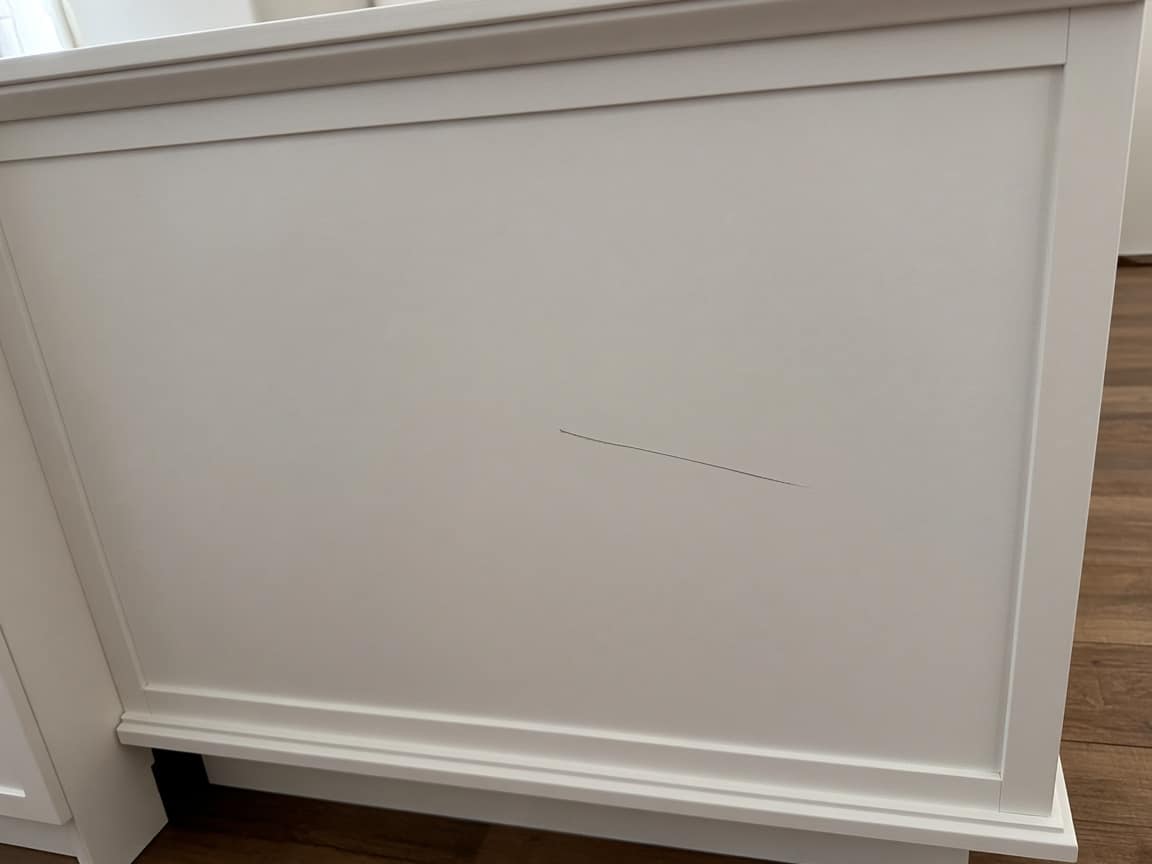
An existing scratch on the island is a photo on the first step. The argument does not start from memory on handoff day.
Kitchen remodel
Demo day, a room full of cabinet boxes, a slab that slips a day, and a homeowner who wants a different door once they see it in the room. The question on the phone is always the same: is my kitchen done? A kitchen link is the room before the crew walks in, then the days they actually care about — demo, cabinets, countertop, handoff — with photos and a short clip if you take one. If they want another front, they write it on the job and you reply there. That is a comment. It is not an e-signature and not a catalog of doors. One URL, no account. You send the link from your phone.
No credit card · customer needs no account
They keep one URL for the whole remodel. You send it once from your phone — copy, QR, or a message draft. Opeo does not email or text them.
Linden Kitchen Co.
In progress41 Maple. The kitchen as we found it, including the scratch on the island and the backsplash that is staying, is on the first step. Demo is done. Uppers are set. The island is in. The slab is not.
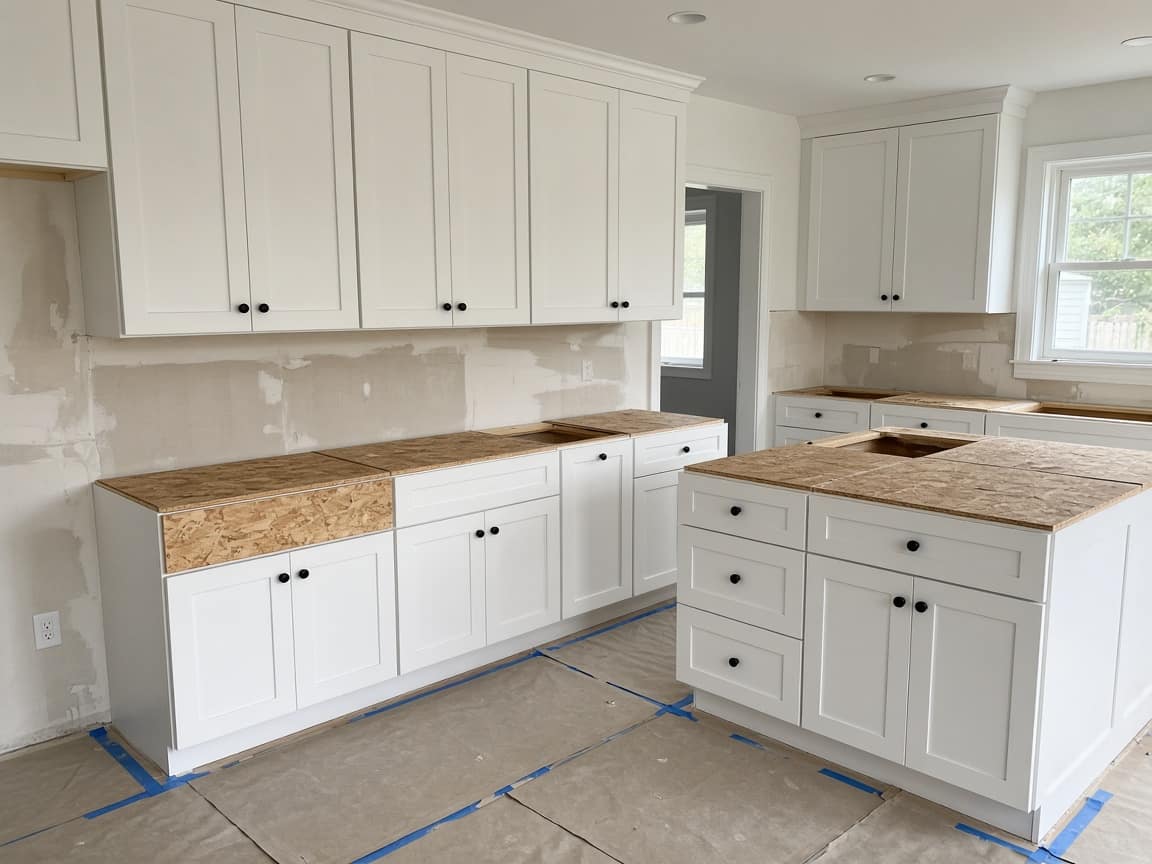
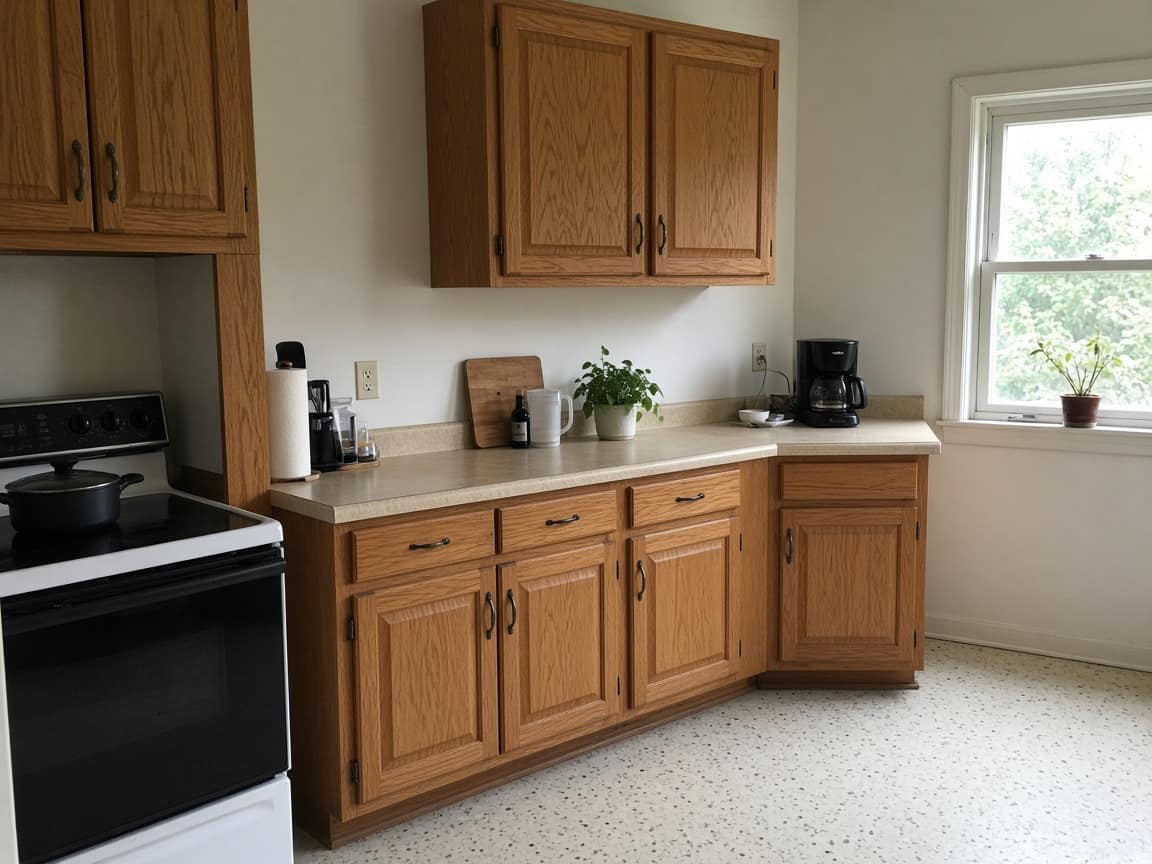
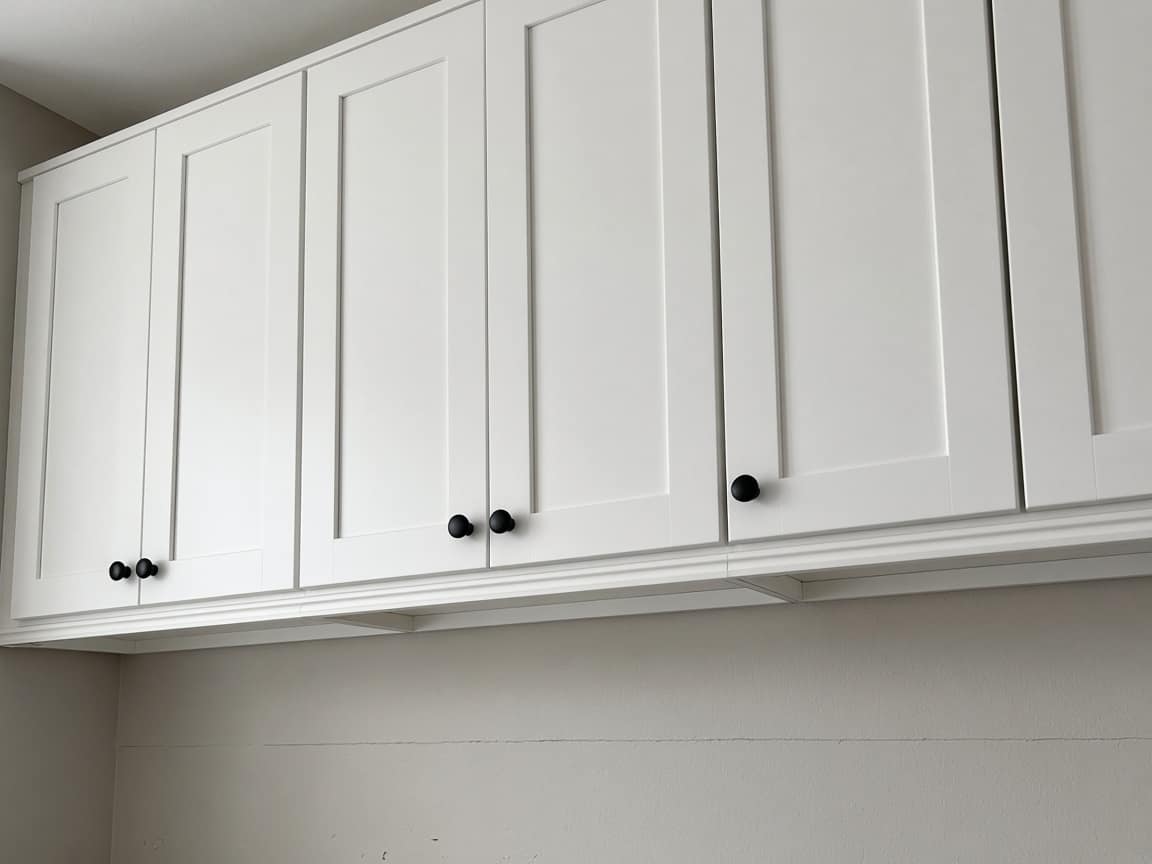
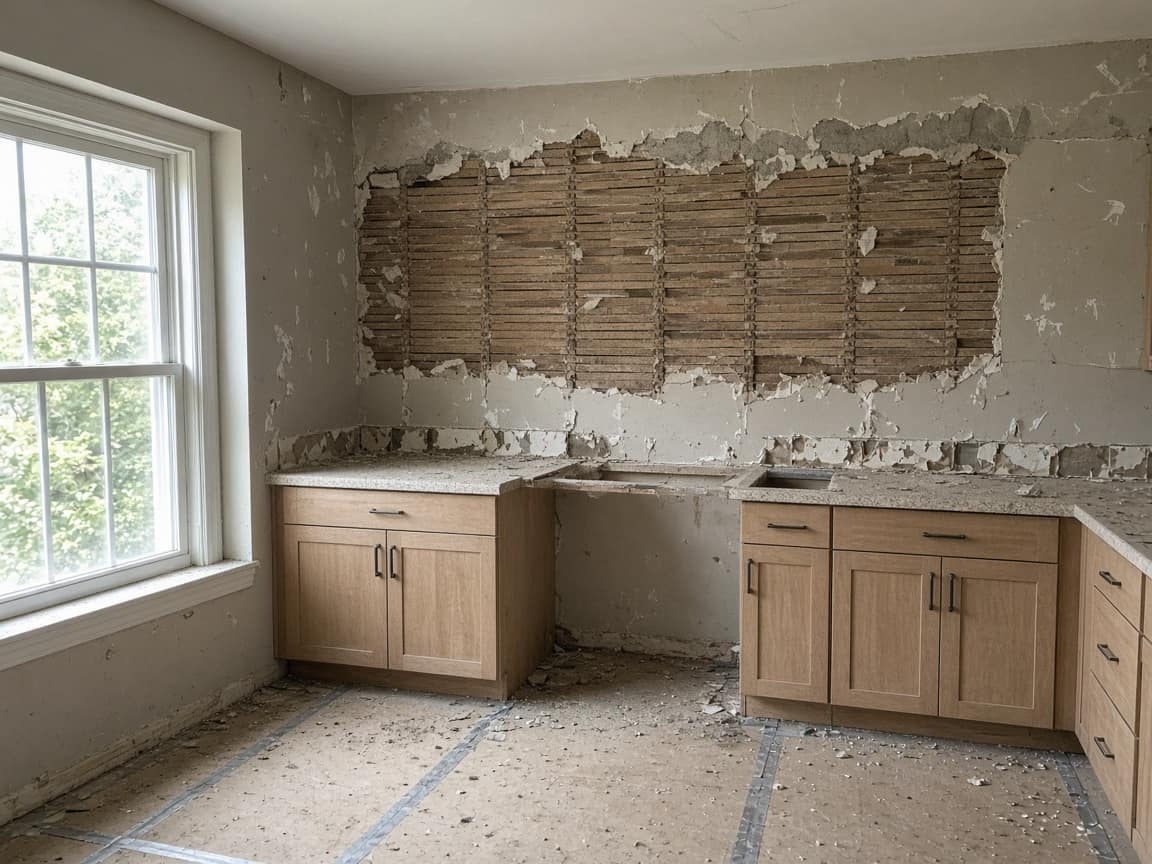
Before we walked in
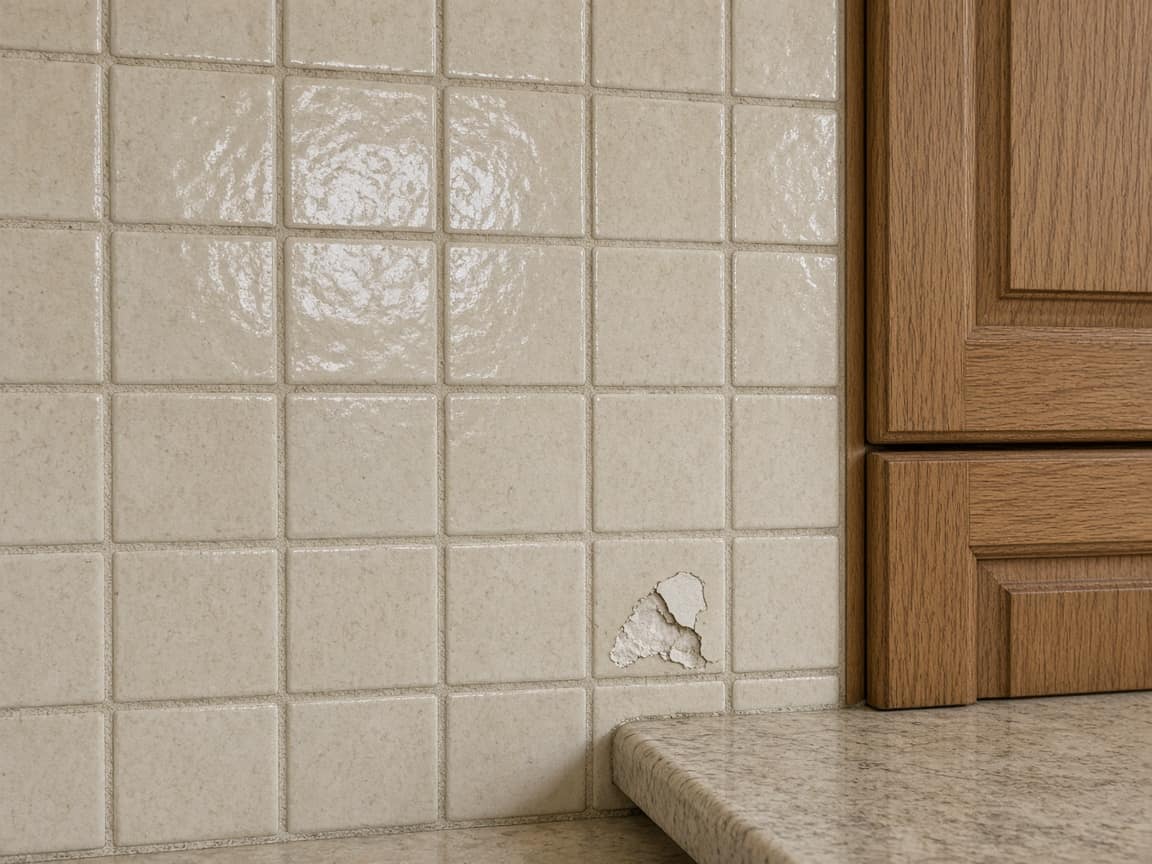
Monday. Existing oak kitchen, the scratch on the island end, and the tile backsplash that is staying, including the chipped tile.
Protection
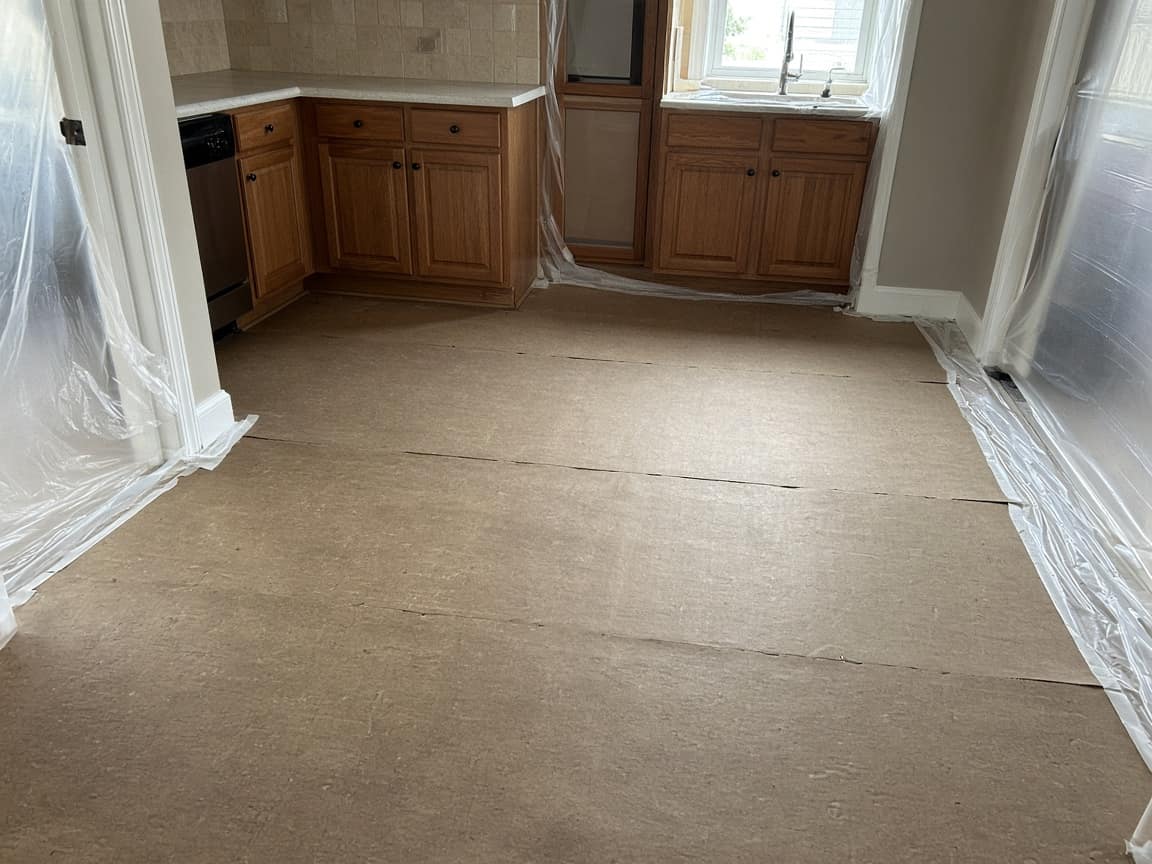
Floors ran with ram board. Doorways taped. Cabinets were still in when this was taken.
Demo
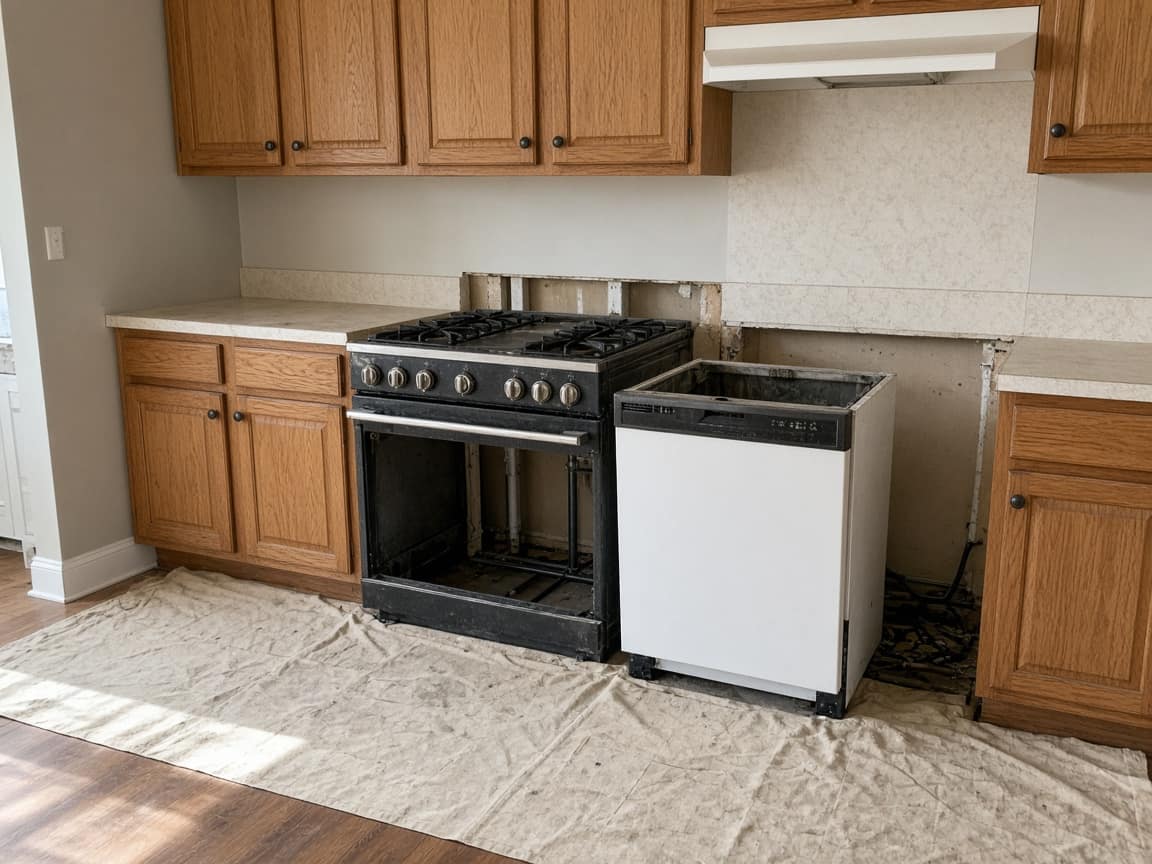
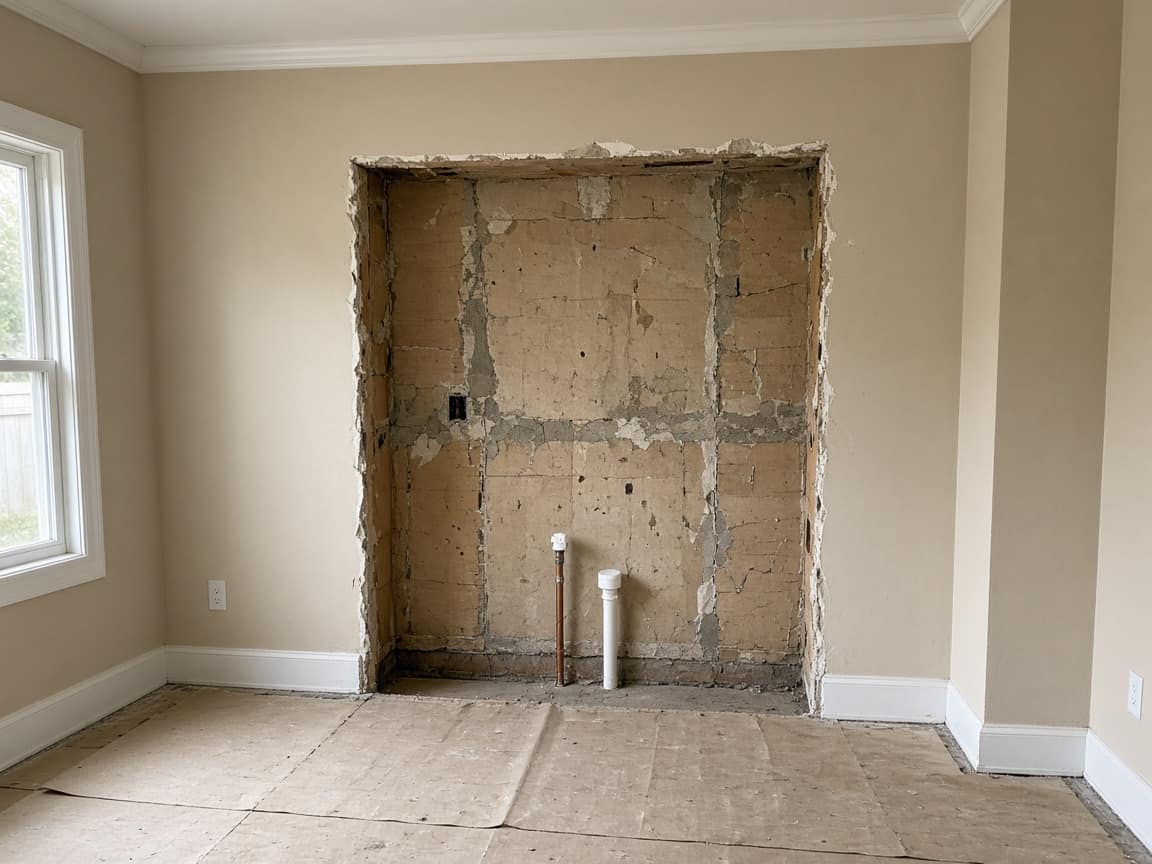
Appliances out, sink pulled, old cabinets gone. Lines at the sink are capped. Floor stayed covered.
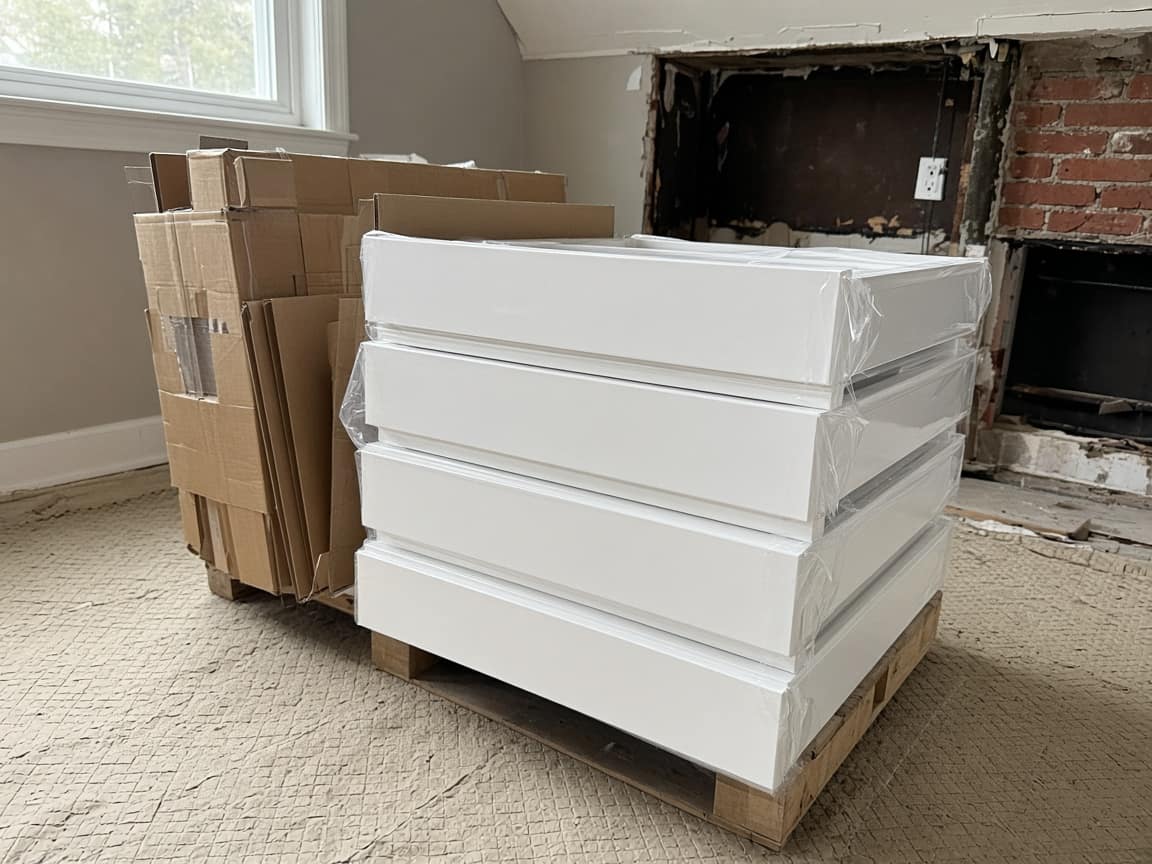
Boxes in the room
Cabinet delivery, still in cardboard, sitting on the ram board. Nothing hung yet.
Uppers
Uppers are set and screwed. No countertop, so the wall below them is still open.
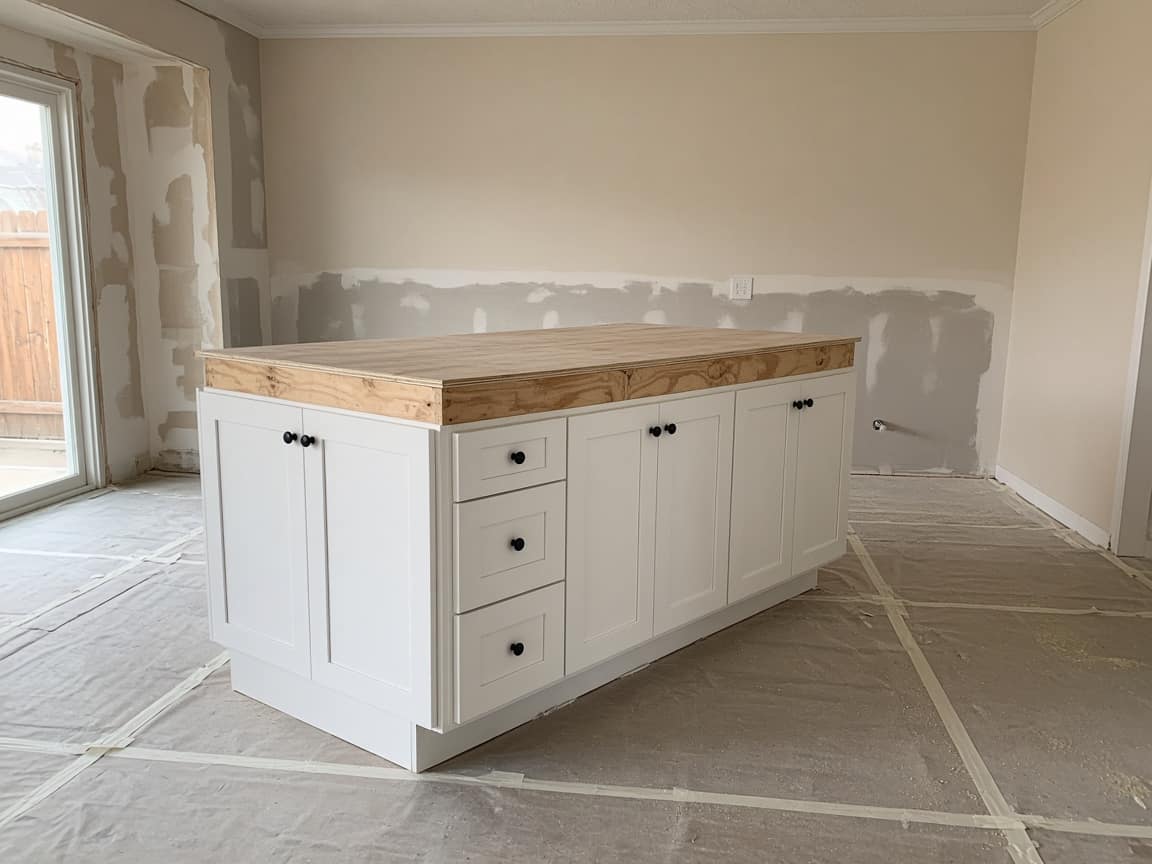
Island and bases
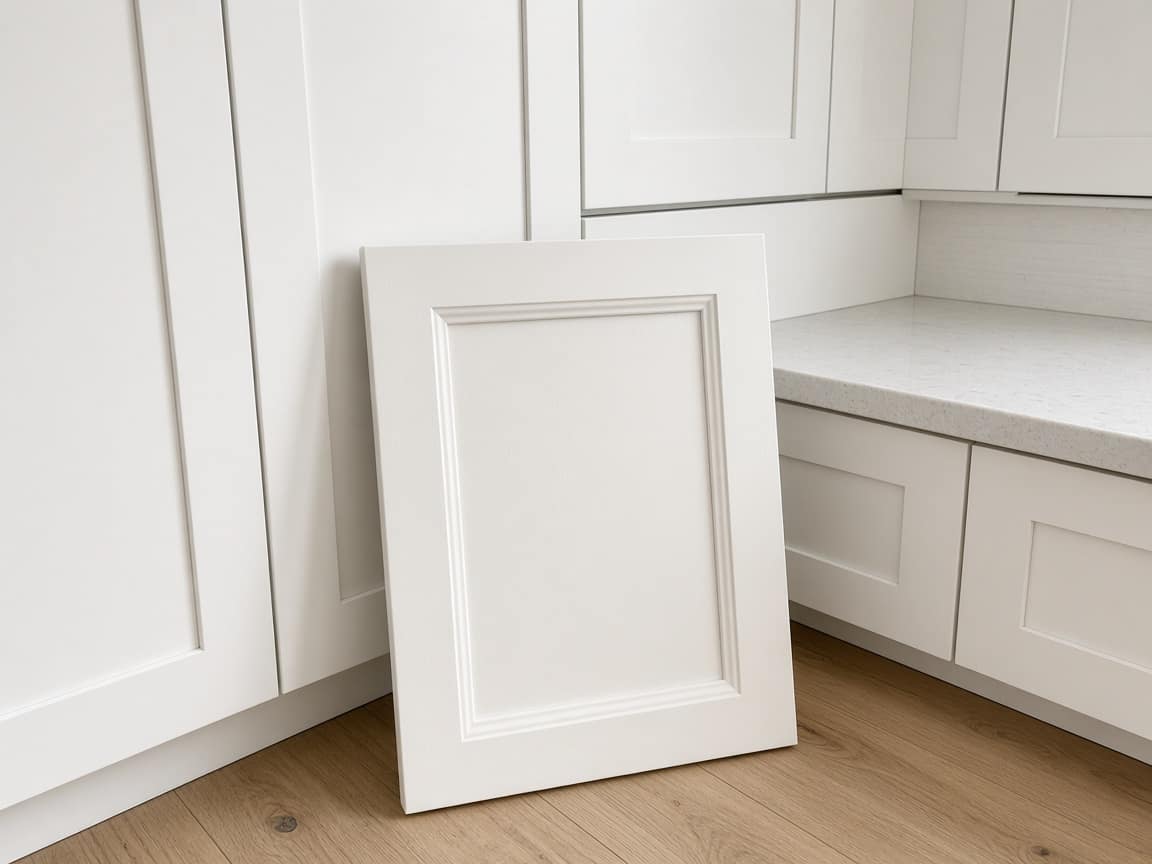
Bases and the island are in. Island doors are the style that was installed, not the shaker sample. The sample is leaning on the island in the last photo.
Countertop
Template is done. The slab is a day out. This step stays empty until the stone is in the room.
Handoff
Walkthrough photos once the top is on and the room is clear. Not yet.
Can we switch the island doors to the shaker sample?
Shaker on the island only. Uppers stay as they are. The sample is the last photo on Island and bases. Reply here if that is the one.
Yes, island only. Also, was the scratch on the old island end already there? I do not remember it.
It is the close-up on Before we walked in, from Monday, before demo. The chipped backsplash tile is on that same step. Both stay in the record. Slab is the next empty step.
The template
The days of the remodel, in order.
01
The kitchen as it stands: scratches, the backsplash you are not touching, the floor. Later, “that was already there” is a photo on this step.
02
What came out, and the room once it is empty. They open the link that evening instead of asking if you are done for the day.
03
Boxes in the room, then set. If they want a different door, the comment lands on this job — a reply, not a signed change order inside Opeo.
04
The slab when it is in, then the photos you leave them with. A late slab is a Delayed status and a reason, not a new schedule product.
Arrival
An existing scratch on the island is a photo on the first step. The argument does not start from memory on handoff day.
The days
Each of those is a step with photos. They reopen the same link instead of calling to ask if the kitchen is done.
The door
They ask on the job page. You answer on the job page, and you can put a photo of the sample on the cabinet step. No e-sign, no door catalog.
This is not a design-approval workflow, a catalog of fronts, or invoicing. Drawings, change orders, and the bill stay in the tools you already use.
Your logo and colors on the link are on Pro. A crew login and a work log are on Pro and Scale.
Run your service business from your pocket. Start strictly free. Upgrade when you need to scale your team.
No hidden fees or "contact us" for basic features.
Perfect for trying out Opeo.
No credit card required
For solo entrepreneurs.
About $0.97/day · less than one disputed job
For growing teams.
Equivalent to $17.80 / user · pays for itself after one repeat job
For large operations.
Granular breakdown of feature availability per tier.
| Feature | Free | Starter | Pro | Scale |
|---|---|---|---|---|
| Core Capabilities | ||||
| Monthly Jobs | 5 | 50 | 300 | 1000 |
| Status Job Pages | ||||
| Starter templates included | ||||
| Unlimited Job Templates | ||||
| Real-time Updates | ||||
| Search & Filters | ||||
| Customer CRM | ||||
| Team Members | 1 | 1 | 5 | Unlimited |
| Work Log & Audit | ||||
| Media & Storage | ||||
| Photos per Job | 15 | 30 | 60 | 150 |
| High-Res Downloads | ||||
| Branding & Customization | ||||
| Custom Logo | ||||
| Custom Branding | ||||
| Support & Security | ||||
| Secure Cloud Storage | ||||
| Daily Database Backups | ||||
| Encrypted Data Transfer | ||||
| Support Level | Priority | Priority | ||
| Priority Processing | ||||
Common questions about billing and features.
The room before demo, then each day until handoff. Free to start.
Create the job link free