Comparisons
Housecall Pro alternatives, without pretending one app does everything
12 min read
Housecall Pro alternatives is not one question. Some owners want a cheaper calendar. Some want less marketing noise in the inbox. Some want the customer to see photos without another portal login. Those are different searches wearing the same headline, and most “top ten” pages treat them as identical.
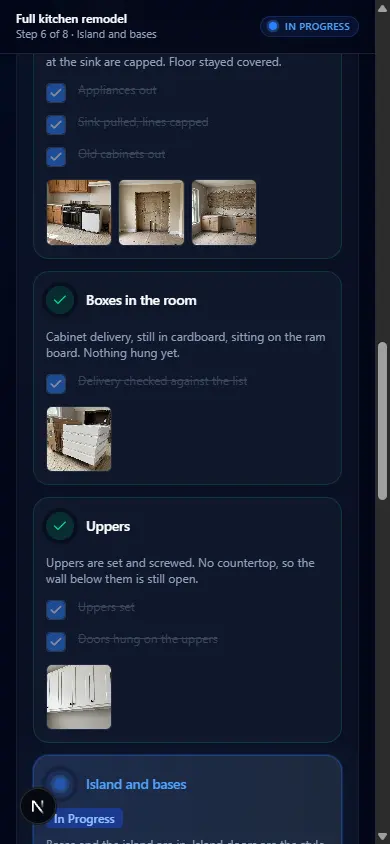
Opeo is honest about where it fits. It is a job link with photos, steps, a delay reason, and comments. The customer opens it in the browser without an account. You share the link, QR code, or SMS draft from your phone. Opeo does not invoice, dispatch vans, track GPS, run payroll, or auto-text clients. It is not a Housecall Pro replacement when your office already lives in HCP. It is the page beside HCP when the client keeps asking for the picture from Tuesday.
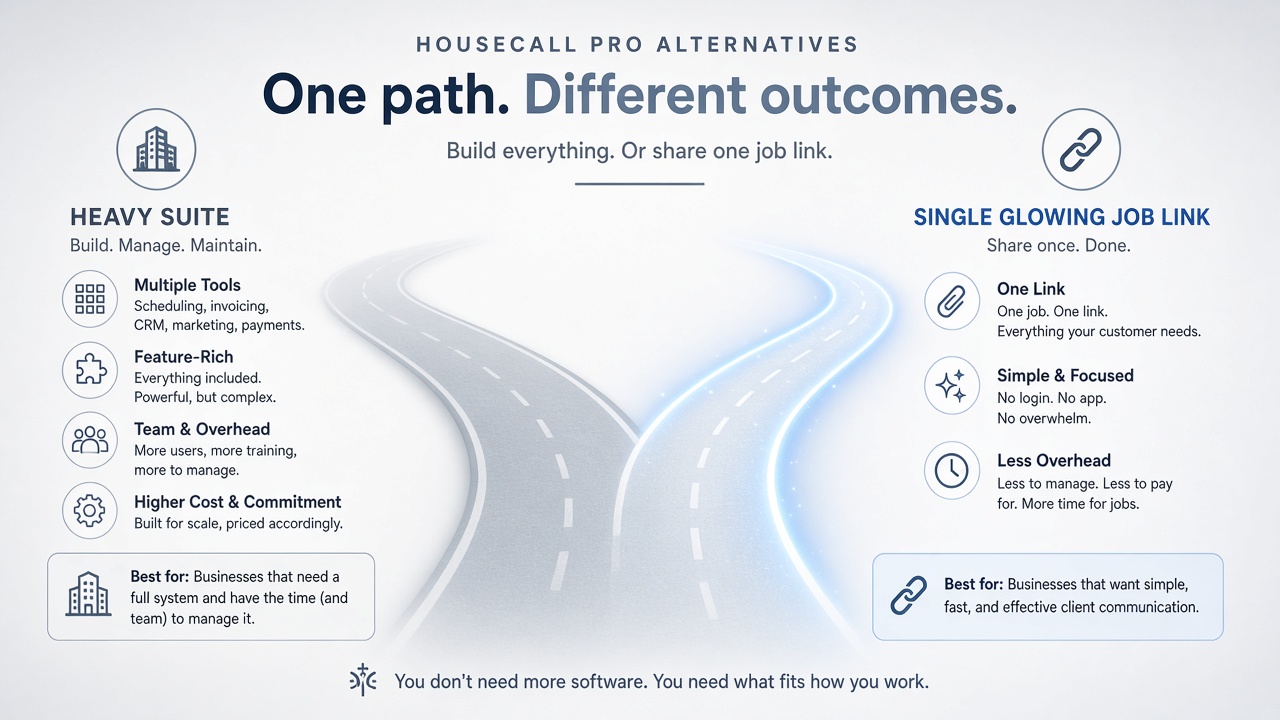
What people want when they search Housecall Pro alternatives
Housecall Pro competitors show up in the same results because comparison sites bundle every field service suite. Real owners usually land in one of four camps:
- Price or seat math changed as the crew grew.
- Features they never turn on — campaigns, add-ons, or workflows that feel like noise.
- The customer experience: portal invites, clunky photo sharing, or “check your email” threads.
- A bad fit for project-shaped work — multi-day remodels where steps and delays matter more than a single visit tile.
If the pain is camp three or four, swapping to Jobber alone may not fix it. You might still have a calendar in the suite and a separate customer visibility problem. That is where small business field service software thinking helps: separate office tools from the link the homeowner will actually open.
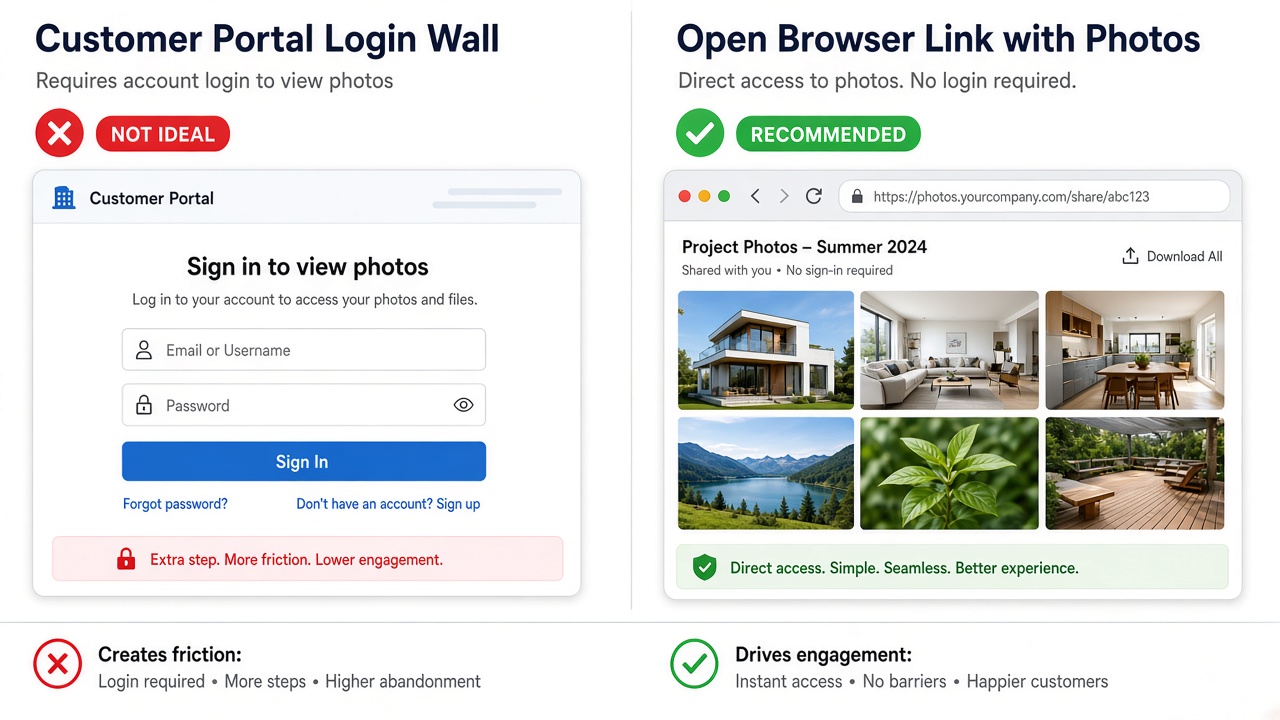
Suite alternatives versus a job-link companion
When you mean “replace Housecall Pro”
Housecall Pro competitors in the full-suite sense include Jobber, Tradify, Workiz, and ServiceTitan at the larger end. Jobber is the name that comes up most for shops that want a similar shape: scheduling, quotes, invoices, and a customer record. Tradify and Workiz often appear for trades that want a middle weight. ServiceTitan is a different conversation — implementation, seats, and a stack built for bigger operations.
Fair comparison means listing what you use today in HCP: online booking, price book, payments, marketing, reviews, and the tech app. Match those rows in the next suite before you migrate customers and historical invoices. The Housecall Pro vs Opeo page is not that migration guide. It explains the layer HCP does not focus on: a dedicated customer page for proof and progress.
When you mean “fix the customer page”
A job-link companion keeps HCP (or Jobber, or QuickBooks) for money and time on the calendar. Opeo holds ordered photos, step status, a written delay reason, and comments on one URL. The client does not install an app. You still send the message from your number; Opeo does not text or email them.
Housecall Pro competitors people actually compare
Search “housecall pro competitors” and you will see the same logos in different orders. Use the comparison for your row, not theirs:
- Jobber — similar suite shape; strong when you want to move calendar and invoicing together.
- Tradify — often cited for trade shops that want scheduling plus job costing without enterprise weight.
- Workiz — common in phone-heavy service businesses that want calls and jobs in one place.
- ServiceTitan — when the shop is ready for a large platform, not when you need one good customer link this week.
For plumbing-specific suite shopping, a future plumbing software article will sit in the same cluster. The split is the same: suite for the office, link for what the customer reopens at the address.
When to keep Housecall Pro and add Opeo
Keep HCP when the dispatcher lives in it, cards run through it, and your price book is already tuned. Add Opeo when:
- Clients ask you to resend photos that are buried in texts or internal notes.
- You run jobs that span days — roofs, kitchens, floors — and the customer wants “where are we” without calling the office.
- Weather or parts delay work and you want a status plus a sentence, not a voicemail tag.
- You want one QR at the job site that opens the same page you texted yesterday.

What Housecall Pro does that Opeo does not
Housecall Pro is built to run a service business office: schedule visits, send estimates and invoices, take payments, run campaigns, and collect reviews. It has a technician-facing app and a customer portal in the suite sense. Opeo deliberately does not copy that stack.
- Online booking and dispatch boards — HCP; not Opeo.
- Invoices, payments, and price books — HCP or your accounting tool; not Opeo.
- Marketing, review requests, and campaign automation — HCP; not Opeo.
- GPS fleet tracking and payroll — neither product is the answer in Opeo’s case; Opeo does not try.
- Photos, step status, delay reasons, and comments on one customer link — Opeo; HCP is not optimized as a standalone proof page.
Positioning Opeo as a full Housecall Pro alternative would be misleading. Positioning it as the photo and status page beside HCP matches how small crews actually work.
What to do next
If you are suite shopping, write down the three HCP features you touch daily and compare Jobber or Tradify on those rows only. If you are callback shopping, open the free plan article, run one live job on Opeo, and keep HCP for the calendar while you test whether links calm the “send it again” texts.
Mirror searches for Jobber live in Jobber alternatives. The category map is field service management software.
Common questions
What is the best Housecall Pro alternative?
If you need a full office swap, compare Jobber, Tradify, or Workiz on scheduling, invoicing, and payments you actually use. If the pain is customer photo visibility, a job link beside HCP often fixes that without migrating the calendar.
Is Opeo a Housecall Pro competitor?
Not for scheduling or invoicing. Opeo competes with the workaround — texts, portal invites, and photo threads — by putting proof on one browser link.
Can I use Opeo with Housecall Pro?
Yes. Keep HCP for visits and money. Use Opeo when the customer needs ordered photos, status, and delay reasons on a page they can reopen.
Does Opeo replace Housecall Pro’s customer portal?
It can replace the habit of “log into our portal for updates” with a single link and no account. It does not replace payments, booking, or CRM inside HCP.
Are there free Housecall Pro alternatives?
Suites sometimes trial or tier down; Opeo has a free hosted plan with monthly job limits. See field service management software free for caps. Free does not mean a full HCP feature match.
Keep reading
Create the job link free
Free is 5 jobs a month and 15 photos on each job. The customer opens one page. No card.