Trades
HVAC software when the customer needs to see the fix, not the duct layout
11 min read
HVAC software is three different products wearing one search phrase. One aisle is design: Manual J, duct sizing, Wrightsoft, Carrier HAP, and the CAD stack that lives on a desk. Another aisle is the office suite: dispatch, flat-rate price books, invoices, and a customer database that ServiceTitan and Housecall Pro built their brands on. The third aisle is smaller and louder on a Tuesday afternoon: the coil photo before it goes back in the cabinet, the drain pan you cleared, and a sentence when the part is on back order. Opeo lives in that third aisle. It is the job link for photos, steps, status, delay reasons, and comments. The homeowner opens it in a browser. They do not install an app and they do not get an account.
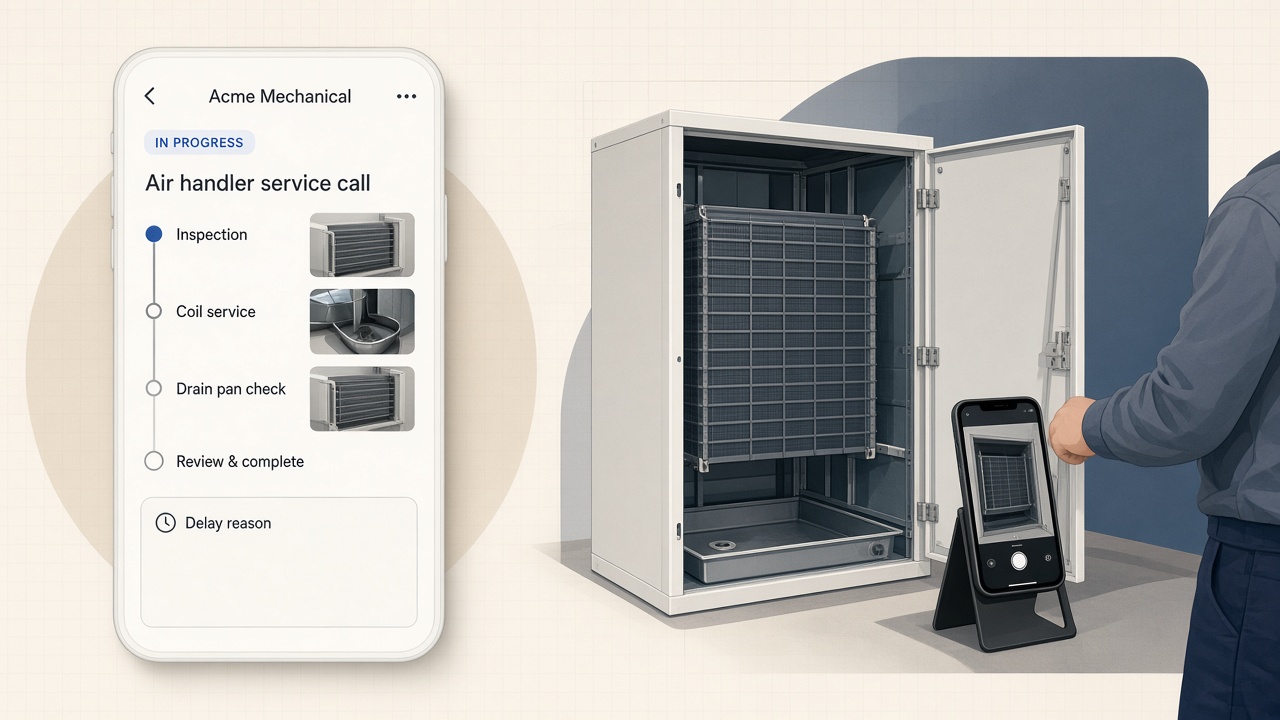
If you are comparing field service management software for a two-to-ten tech shop, the split is familiar. Keep the suite for the calendar and the invoice. Add a job link when the argument is “show me the dirty filter” or “prove you replaced the capacitor.” The HVAC overview is the short trade version of that page. Plumbing software is the same shape for the sister trade—leak photos instead of coil photos.
HVAC software is not Manual J, duct design, or Wrightsoft
Search “HVAC software” and half the results are engineering tools. Manual J load calculations, Wrightsoft Right-Suite, Carrier Hourly Analysis Program (HAP), duct sizers, and Revit families solve a design problem: how big is the system and how does air move. They earn their license fee in the office where someone sizes equipment and prints a report for the permit folder.
Opeo does not replace any of that. It does not store a plan set, run a load calc, or lay out trunk line. If your week is mostly design and estimating from drawings, you need the design stack—not a customer job link. When the search was “HVAC design software” or “duct design software,” you were never looking for what happens in the attic after the unit is already on the truck.
- Manual J / load calculation: sizing and code paperwork, not field photos.
- Wrightsoft, HAP, and similar: equipment and duct modeling on a PC.
- AutoCAD / Revit / CFD: drawings and coordination, not a homeowner link.
- A job link: what you found at the air handler, what you swapped, why you are waiting on a board.
What HVAC field service software usually includes
HVAC field service software, in vendor language, means dispatch, routing, quotes, invoices, maintenance agreements, and sometimes a technician app with forms. Jobber, Housecall Pro, FieldEdge, and ServiceTitan show up in every “best HVAC software” roundup because they run the business side well. When we checked public starting prices in June 2026, many of those products started around forty dollars a month per user. The numbers move. The point is not the price—it is the job type.
A suite earns its fee when the office lives in it. The tech on a no-cool call still has a separate problem: the customer cannot see the iced coil, the float switch you bypassed for testing, or the nameplate you photographed for the warranty claim. That record has to survive until someone asks in a different season. A portal that means another password often dies in the customer’s inbox. A single link they already opened from your text does not.
| The work | Where it belongs |
|---|---|
| Load calc, duct layout, permit drawings | Design / engineering software |
| Dispatch, maintenance contracts, invoicing | Your field service suite |
| Coil, drain, capacitor, thermostat photos the customer can reopen | A job link |
| Part delay or second-trip weather hold | Delayed status + written reason on the job link |
| Who on your crew changed the job | Work log on Opeo Pro and Scale |
Where each piece of HVAC work belongs
What belongs on the phone during an HVAC service call
HVAC service software in the field is whatever someone can update in a glove, on a ladder, or in a closet before the panel goes back on. You have about a minute. Mark the step, drop the photo, write a plain reason if the job stops. The homeowner does not need jargon. They need to see the part that was failing and the part that replaced it.
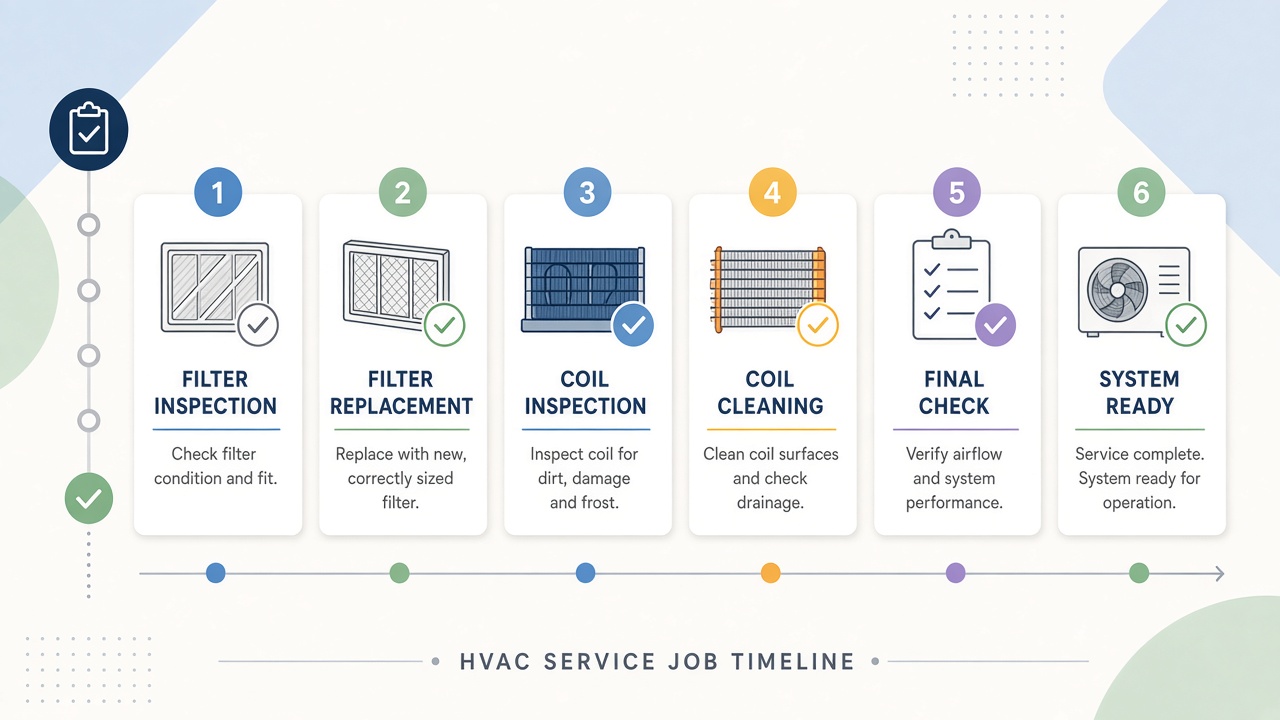
The shot list overlaps with jobsite photo documentation for trades. For HVAC specifically, think in beats you will argue about later:
- The thermostat reading and the complaint as you found it—no-cool, weak airflow, noise.
- The equipment nameplate and the filter slot before you touch either.
- The coil, blower, drain pan, or condensate line while access is open—not after the door is screwed shut.
- The same spot after repair or cleaning: clean coil vs dirty coil, new capacitor beside the old one.
- Startup readings or a short clip of normal operation if video helps more than a still.
- If you leave without finishing: Delayed, with a sentence about the part, the leak check, or the return visit.
HVAC software for small business shops
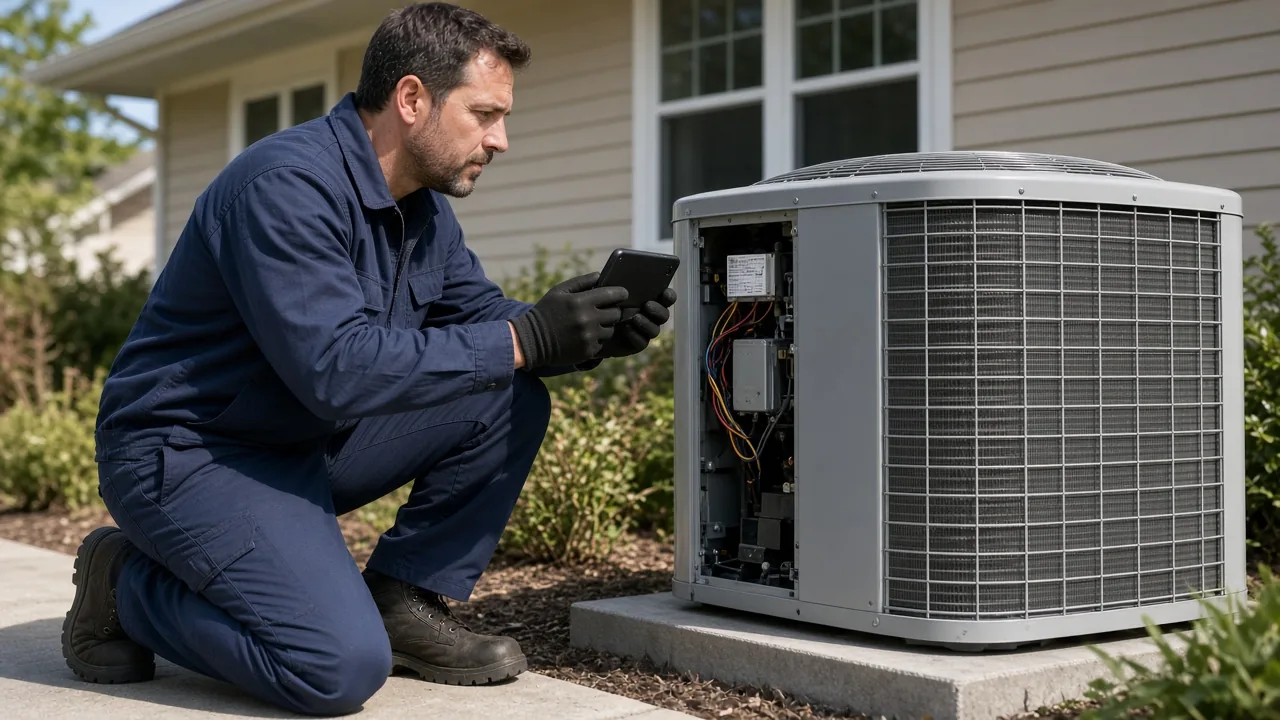
HVAC software for small businesses is where the category gets noisy. You do not need every module on day one. You need the van on the route, the invoice out the door, and—when the callback comes—the photo of the contactor you already replaced. Field service software for small business is the wider map. This page is the HVAC wedge: documentation on a link, not another dashboard.
Best HVAC software lists will keep ranking suites. Read them for scheduling and billing. When the list mentions “customer portal,” ask whether the homeowner actually opens it. If your real pain is resending the same three pictures from a camera roll, the fix is ordered photos on one URL—not a twelfth feature in a product you already underuse.
Install visits, not only no-cool calls
Installs benefit from the same timeline. Rough-in before drywall, line set before concealment, startup when the house is still messy. Steps turn “we are mid-install” into photos on the correct day. The customer sees progress without calling the office. Opeo does not replace your install checklist PDF or your permit packet. It replaces the group chat where those photos disappear.
Keep your HVAC business software—add the link
If you already pay for Jobber, Housecall Pro, Tradify, or a vertical stack, keep it for quotes, invoices, and the board your dispatcher stares at. Opeo sits beside it. The comparison pages—Jobber, Housecall Pro, Tradify—spell out that split without asking you to migrate.
Sharing is deliberate. Copy the link from the job screen, show the QR code, or open a text draft on your phone with the URL filled in. The message goes out from you. That matches how HVAC owners already talk to homeowners—and it avoids the “who is this company texting me?” problem when a platform sends alerts the customer never opted into.
Try HVAC job documentation before you add another suite seat
Free on the hosted plan is five jobs a month and fifteen photos per job, with templates and no card. That is enough for a week of service calls or one install with a tight shot list. Details sit in field service management software free and on pricing. When a call runs long on photos, you will feel the cap before you feel confused by the product.
How to send without turning into IT support for the homeowner is written up in share job photos with customers. The HVAC version is the same mechanics: one link, photos in order, status when the part slips.
Put one service address on a link this week
- Pick a job you would hate to re-argue from memory—a no-cool, a leak, a warranty board swap.
- Title it with the street or the customer name you already use in texts.
- Add the photos you already have into the step they belong to; take the one frame you lose when the panel closes.
- Send the link once from your phone. Point them back to the same URL when they ask again.
Templates mean the next maintenance visit or changeout starts from the same steps instead of a blank page. Sign up when you are ready; the HVAC page stays the one-screen reminder of what belongs on the link.
Common questions
Is Opeo HVAC design software or a Manual J tool?
No. It does not run load calculations, duct design, Wrightsoft, HAP, or CAD. It is the customer-facing job page for photos, steps, status, delay reasons, and comments.
Is Opeo HVAC field service management software?
Only for the narrow part the customer sees: proof and progress on one link. Dispatch, scheduling, GPS, invoicing, and CRM stay in the tools you already use for those jobs.
Can I invoice or schedule techs from Opeo?
No. Opeo does not send invoices, optimize routes, or run a dispatch board. Keep your suite for office work; use the job link when the homeowner needs to see the work.
Does the homeowner need an HVAC customer portal login?
No. They open one link in a browser. You share it from your phone. Opeo does not create customer accounts or message them on your behalf.
We do plumbing and HVAC—one account?
Yes. The page is the same per job. Use trade templates that match the visit; the customer still sees one link without caring which license plate was in the driveway.
Keep reading
Create the job link free
Free is 5 jobs a month and 15 photos on each job. The customer opens one page. No card.