Trades
Roofing software when the argument is the deck photo, not the pipeline
11 min read
Roofing software, in search results, usually means a sales and production stack: CRM pipelines, material orders, crew scheduling, and sometimes aerial measuring tied to an estimate. AccuLynx, JobNimbus, and similar products own that lane. Xactimate and EagleView own another—pricing and measurements from above. Those tools matter when the fight is the bid, the supplement, or the board in the office. They do not replace the photo of soft decking at the eave, the leak stain in the attic before tear-off, or the sentence that says shingles wait until Friday because the forecast is lying again.
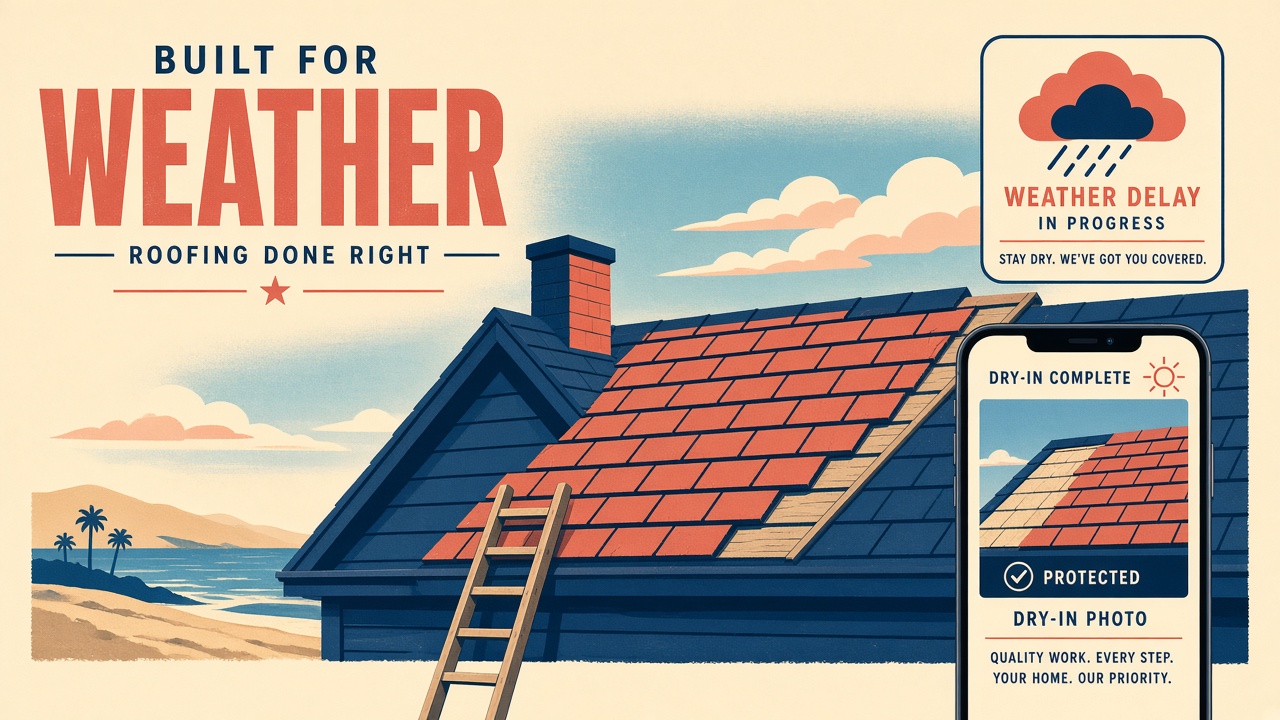
Roofing contractors feel the gap on the third rainy week of a tear-off. The office CRM knows the job is “in progress.” The homeowner wants to know if the house is dry and when shingles return. Job progress tracking for contractors is the progress story in plain language. Jobsite photo documentation is the shot list before the work gets covered. This page is the roofing software angle: what to put on the link when the CRM is not the customer’s screen.
Roofing software is not AccuLynx, Xactimate, or EagleView
AccuLynx and other roofing CRMs are built for lead flow, production boards, and company-wide reporting. Xactimate is the language of insurance estimating. EagleView and similar aerial tools sell measurements and reports for bids. If your Tuesday is spent in those products, keep them. None of them is optimized for a homeowner scrolling photos on a phone at 9 p.m. wondering whether the crew saw the rot.
Opeo does not run your pipeline, order shingles, or draw a roof plane from satellite imagery. It does not replace a takeoff for the adjuster. It holds the proof and the status on one URL you already texted from the driveway. When someone searches “roofing contractor software” and every result is a CRM demo, the missing piece is often documentation—not another stage in the funnel.
- CRM / production software (AccuLynx and peers): office workflow, not the customer photo album.
- Xactimate and estimating suites: numbers for the carrier, not deck photos for the owner.
- EagleView-style measuring: bid inputs, not leak documentation mid-job.
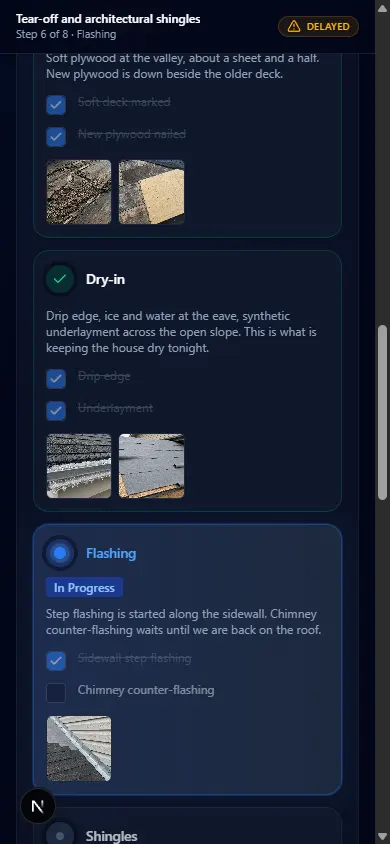
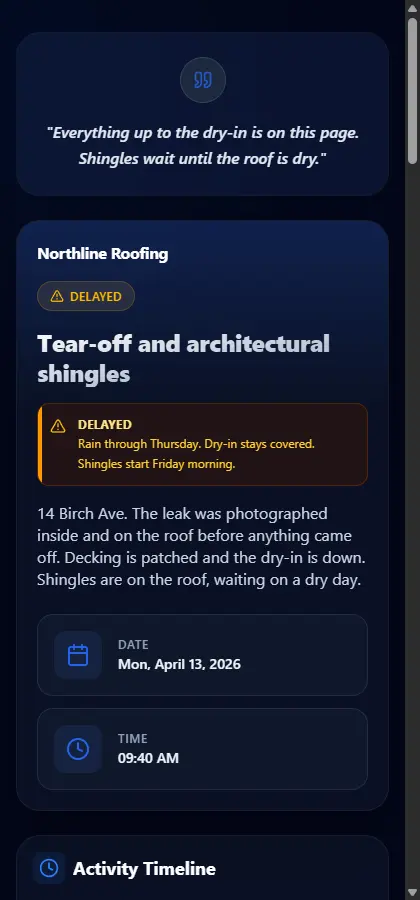
- A job link: decking, dry-in, flashing, delay reason—on one timeline.
What roofing documentation belongs on the customer link
Roofing company software in the field is whatever the foreman can update before the tarp moves. Photos belong to steps so Monday’s deck shot stays above Wednesday’s dry-in. When weather stops production, status goes to Delayed and the reason is a sentence: rain holds shingles, dry-in is down, crew returns Friday morning. That pattern is the same one walked through on the roofing overview.
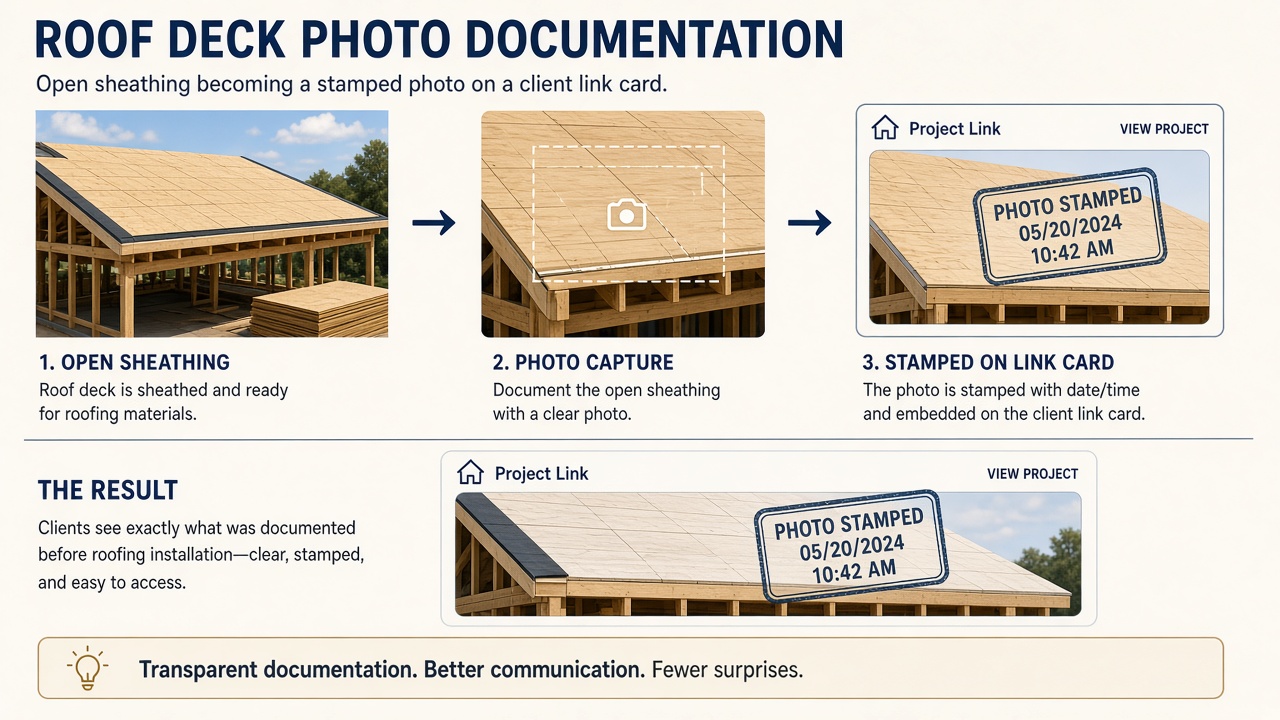
- Interior leak evidence and attic shots before tear-off—stains, wet insulation, open paths.
- Decking as you found it: soft spots, replaced panels, nail patterns before felt.
- Dry-in and flashing while they are visible—not after the course above hides the detail.
- Material delivery or color confirmation if the customer chose mid-job.
- A wide shot at substantial completion; one is enough if you are near the photo cap.
- Weather or inspection delays as status + reason, not a separate “update call” every afternoon.
Roofing business software versus a field service suite
Roofing business software lists also include generic field service management software: Jobber, Housecall Pro, ServiceTitan. Those fit when you run service and repair like a truck roll. Production roofing often lives in a CRM plus spreadsheets. Opeo does not ask you to rip either out. It adds the link the homeowner actually opens.
| The record | Where it belongs |
|---|---|
| Lead source, pipeline stage, commission | Roofing CRM |
| Estimate line items and carrier format | Estimating / Xactimate workflow |
| Aerial measure for the bid | Measuring tool |
| Deck, dry-in, and leak photos the owner can reopen | Job link |
| Rain delay in plain language | Delayed status on the same link |
Where each roofing record belongs
Insurance jobs without becoming Xactimate
On a supplement job, Xactimate remains the estimate language. The homeowner argument is often visual: here is what we opened, here is what we replaced, here is why dry-in sat for four days. Put those frames on the link. You are not exporting line items from Opeo. You are giving the adjuster and the owner the same ordered proof without a camera-roll dump.
Share roof progress without another portal
Roofing software for contractors often promises a “customer portal.” Portals mean invites, passwords, and apps the homeowner ignores until something leaks. Opeo is one URL. Copy it, show the QR on the job screen, or paste it into a text draft from your number. Share job photos with customers walks the mechanics. The roofing version is the same habit: send once, point back to the same page.
Comments stay on the job if the owner or the GC has a short question. You answer on the same page. Opeo does not blast texts or emails on your behalf—important when the customer’s spouse is not the person who signed the contract but is the one watching the weather app.
Start on the free tier with a template that matches your tear-off
Free is five jobs a month and fifteen photos per job on the hosted plan, with templates and no card. A tear-off with a tight shot list fits; a multi-phase insurance job may need Starter or Pro for headroom. Caps and seats are on pricing and in field service management software free. Templates let the next roof start from decking → dry-in → flashings → shingles instead of rebuilding steps every Monday.
Put one roof on a link before the next front moves through
- Choose an active job—mid-tear-off is ideal. Title it with the street.
- Match your real phases as steps. If you say “dry-in” on the radio, name the step dry-in.
- Upload the photos you already took; capture the deck frame you lose when the felt goes down.
- If rain idles the crew, set Delayed and write the reason like you would to a reasonable homeowner.
- Send the link from the driveway once.
Walk the sample at try/roofing if you want to click through status and photos before you use your own address. Sign up when you are ready to keep the habit across the crew.
Common questions
Is Opeo a replacement for AccuLynx or roofing CRM software?
No. It does not run leads, production boards, or company CRM workflows. It is the customer job link for photos, steps, status, delay reasons, and comments.
Does Opeo replace Xactimate or EagleView?
No. It is not estimating or aerial measuring software. Use those for bids and supplements; use the job link for deck, leak, and progress photos the homeowner can reopen.
Can homeowners see weather delays without calling the office?
Yes, if you set the job to Delayed and write the reason in plain language on the same page as the photos. You still share the link from your phone; Opeo does not message them automatically.
Does the customer need to install roofing software?
No. They open one link in a browser. No app and no account.
We also run service calls—same product?
Yes. One job link per address or visit. The page shape matches HVAC, plumbing, and other trades documented in the field service posts.
Keep reading
Create the job link free
Free is 5 jobs a month and 15 photos on each job. The customer opens one page. No card.